Red Light on Your Inverter? What Your Solar System Is Trying to Tell You
August 30, 2026
QUICK ANSWER: A red or blinking light on your inverter almost always means the unit flagged a condition it doesn't consider normal. That condition can range from a brief grid disturbance that clears on its own to a wiring issue that needs a technician's attention. Write down the color, whether it's solid or flashing, and how long it's been going on before you decide what to do next. The light tells you something changed. It doesn't tell you exactly what caused it.
The Inverter's Job, and Why It Talks to You in Light
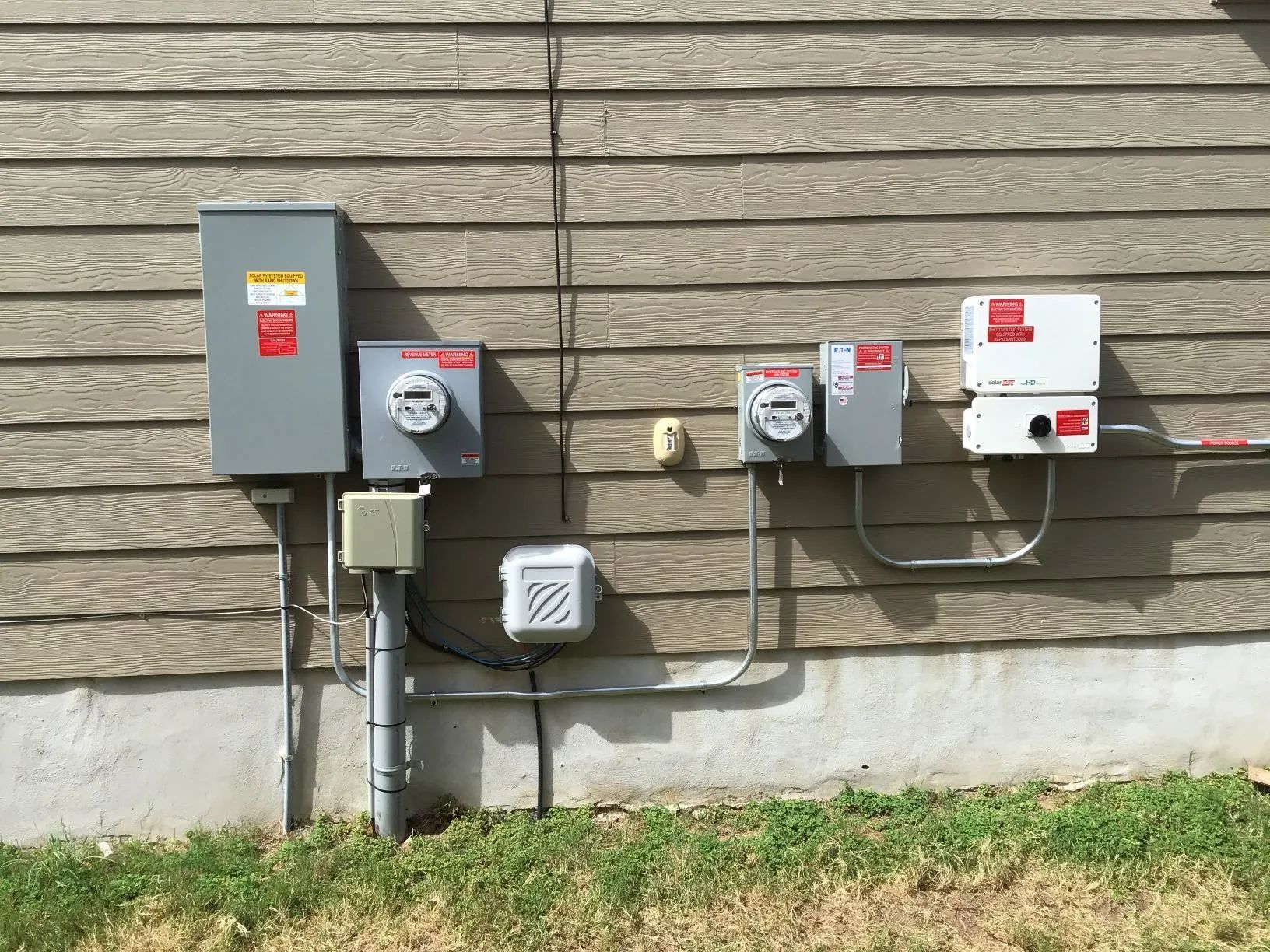
Your panels generate direct current electricity. Your home runs on alternating current. The inverter sits between those two realities and handles the conversion, hour after hour, every day the sun is up. It's doing active work rather than just passing power through, which also makes it the component most likely to notice when something isn't behaving the way it should. A cracked cell. A loose connection. A grid fluctuation. An overheated enclosure. The inverter usually sees these problems first, and the light on its housing is how it lets you know.
Manufacturers build this signaling differently from one brand to the next. Some use a single multicolor LED. Others use two or three lights that combine in different patterns to represent dozens of states. Enphase, SolarEdge, and Fronius each publish their own light key, and a blinking blue light on one unit can mean something completely different than the same blink on another. Pull up the manual or the manufacturer's support page for your specific model before you assume you know what a color means.
Reading the Pattern, Not Just the Color
A steady green or blue light generally means normal operation. The system is producing, or it's connected and talking to its monitoring platform, and everything is working the way it should. A blinking light in that same color family often signals a transitional state, like waking up in the morning, checking grid conditions before it starts producing, or briefly pausing during a firmware update. None of that requires a phone call.
Red gets your attention for good reason. On most systems, a solid or blinking red light means the inverter detected an error condition and either reduced output or shut itself down completely. That could be a ground fault. It could be an internal component issue. It could also be a communication failure between the inverter and its optimizers or microinverters, or a problem detected on the AC side of the system. The light itself doesn't distinguish between "this needs a part replaced" and "give it five minutes," which is exactly why what happens next matters.
TIP: Write down what you're actually seeing before you touch anything. Note the exact color and whether it's solid or blinking, plus the rate if it's flashing. Add the time you first noticed it. If your monitoring app shows a matching error code, screenshot it. That single piece of information often cuts diagnostic time by a lot, because it tells a technician whether they're looking at a one-time event or something that keeps coming back.
Why This Comes Up More in Central Texas
Grid-connected inverters are built to disconnect briefly during voltage or frequency disturbances on the utility line, then reconnect once things settle down. That's a protective behavior engineered into the system, not a flaw. During the hottest stretches of Central Texas summer, when regional demand climbs and the grid works harder to keep up, these brief disturbances happen more often than they do in milder months. A red or amber light that shows up for a few minutes on a July afternoon and clears on its own is frequently nothing more than the inverter doing its job.
Heat affects the hardware directly too. Inverters generate their own heat while converting power. When ambient temperatures climb into the upper 90s, which happens routinely across San Antonio and the surrounding hill country, some units automatically pull back output to protect internal components from thermal stress. That's a safety feature, but it can trigger a warning light or a production dip on your app that looks alarming if you don't already know what's causing it.
And storms add a wrinkle of their own. A hailstorm that leaves your roof looking fine from the ground can still loosen a connection point or stress a wiring run enough to trip a fault light days later, once temperature swings work the loosened joint further. Between heat cycling and the raw number of sun hours a well-placed Central Texas system logs in a year, your inverter simply gets more chances to flag something than a system running under cloudier, milder skies.
Nuisance Trip or Real Problem
Not every red light means a part failed. A nuisance trip is a shutdown triggered by a condition that resolves itself, such as a brief grid voltage spike or a momentary communication hiccup between system components. In plenty of these cases, the light clears within minutes to a couple of hours, production picks back up, and the event never repeats.
A few patterns point toward something worth a closer look. If the light returns at the same time of day, repeatedly, that usually means a specific trigger rather than random grid noise. A persistent error code in your monitoring app, rather than a momentary alert that comes and goes, is the system telling you the condition hasn't actually cleared. So is a drop in overall production that lines up with when the light first appeared, even after the light itself goes away.
A single restart following your manufacturer's documented procedure is a reasonable first step if there's no visible damage and this is the first time you've seen the light. Repeated restarts without figuring out the underlying cause tend to mask a developing issue rather than fix it.
WARNING: on't open the inverter enclosure or try to access internal components yourself. Inverters handle both DC input from your panels and AC output to your home's wiring, and internal parts can hold a charge even after the unit powers down. If a light sticks around after one proper restart, the safer move is a professional inspection, not more troubleshooting on your own.
What a Real Diagnosis Looks Like
A technician responding to a persistent inverter light usually starts by pulling the error history from the monitoring platform instead of guessing based on the light alone. That history shows when the condition started, how often it's come back, and whether it lines up with specific weather, time of day, or production levels. From there, the inspection typically moves to the physical connections: DC input terminals, AC output wiring, grounding points, and any communication links between the inverter and panel-level equipment.
Corrosion shows up often on systems that have sat in a hot climate for several years. So do loose lugs and heat-stressed insulation, neither of which announces itself with dramatic symptoms until the inverter starts flagging it. A thorough inspection also checks internal fans and vents, since restricted airflow can speed up thermal issues that show up as recurring faults during the hottest part of the day. The goal is finding the actual source of the disruption, not clearing the code and hoping it stays quiet.
Staying Ahead of Inverter Alerts
Systems that get a routine inspection once a year tend to throw fewer surprise fault lights. A technician catches loosening connections, dust building up around ventilation points, and early wear before any of it escalates into a shutdown. Checking your monitoring app every week or two, even just a glance, helps you catch a pattern early instead of discovering a month later that production has been quietly running low. The inverter is built to tell you when something changes. Knowing when that signal is routine and when it needs a second opinion keeps small issues from turning into bigger ones.
Frequently Asked Questions
Does a blinking light always mean my system stopped producing power?
Not necessarily. Some blinking patterns mean normal states, like waking up at sunrise, pairing with panel-level equipment, or checking grid conditions before production resumes. Check your monitoring app's current production number alongside the light instead of relying on the light by itself.
How long should I wait before calling someone about a fault light?
If the light clears within a couple of hours and doesn't come back, it was likely a momentary condition. If it sticks around past that, returns over several days, or comes with a visible drop in production, that's a fair point to schedule an inspection.
Can extreme heat alone trigger a warning light without anything actually being wrong?
Yes. Thermal protection features in many inverters reduce output or display a warning during extreme heat to protect internal components. That's normal behavior in a climate like Central Texas and doesn't necessarily mean a hardware problem, though it's still worth mentioning at your next maintenance visit.
Is it normal for the light pattern to change after a storm?
It can be. Wind and hail sometimes loosen connections or shift mounting hardware in ways you can't see from the ground but that still affect the inverter's readings. If a light pattern changes after severe weather, get the system checked even without obvious exterior damage.
Should I try resetting the inverter myself?
A single reset following your manufacturer's documented steps is fine if there's no visible damage and this is the first time you've seen the light. If the same fault comes back after a reset, leave further troubleshooting to a technician who knows your specific equipment.
Understanding Inverter Alerts Keeps Solar Systems Reliable
A red inverter light does not automatically mean your solar system is facing a major failure, but it should never be ignored when it persists or repeatedly returns. Paying attention to light patterns, monitoring production, and noting error codes can help separate temporary grid or heat-related events from developing electrical problems. With 100 years of experience, Central Texas Solar understands the conditions solar equipment faces throughout San Antonio, TX, including intense summer heat, storms, and demanding daily production cycles.
Regular awareness can make inverter issues much easier to understand before they affect long-term solar performance. Watching for changes in output, recurring warning lights, unusual shutdowns, or alerts after severe weather provides useful clues about how the system is operating. Routine inspections also help identify loose connections, restricted ventilation, corrosion, and normal equipment wear before they create larger disruptions. Understanding what the inverter is communicating ultimately makes it easier to maintain dependable production and keep the entire solar system operating consistently over time.